




⚡ OL-Tager (NeoPulse)
A modern, full-stack e-commerce platform for healthcare & medical supplies — built with Flask, PostgreSQL, and a premium glassmorphism UI.
📖 Overview
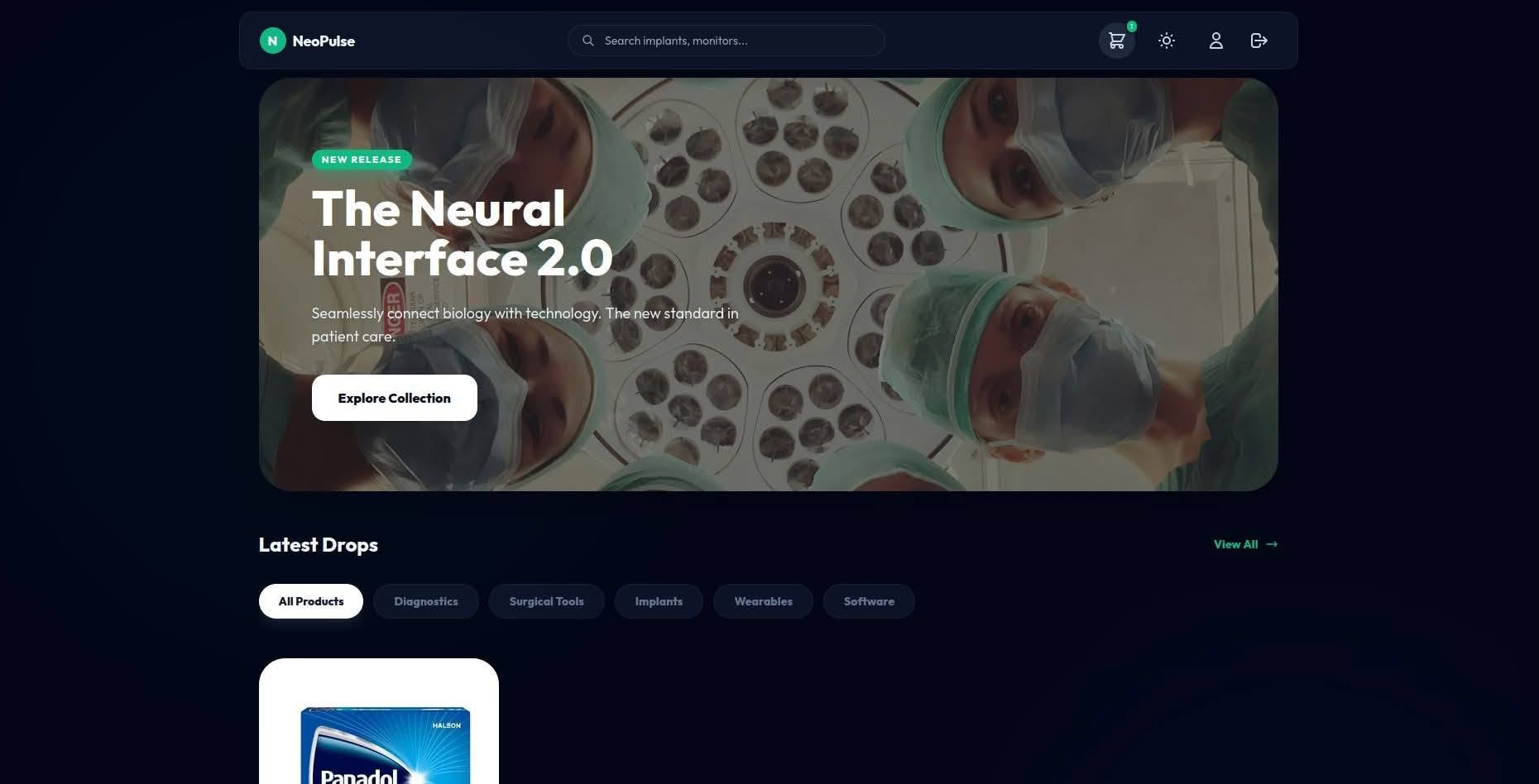
OL-Tager (branded as NeoPulse) is a full-featured e-commerce web application designed for browsing, managing, and purchasing medical and healthcare products. It features a sleek, modern storefront with dark/light theme support and a comprehensive admin dashboard for complete store management.
✨ Features
🛍️ Customer-Facing Storefront
- Landing Page — Hero section, featured products, certifications, user reviews, and contact form
- Product Catalog — Dynamic product grid with category filtering, sorting, and search
- Product Detail Modal — Rich product details in a full-screen modal overlay
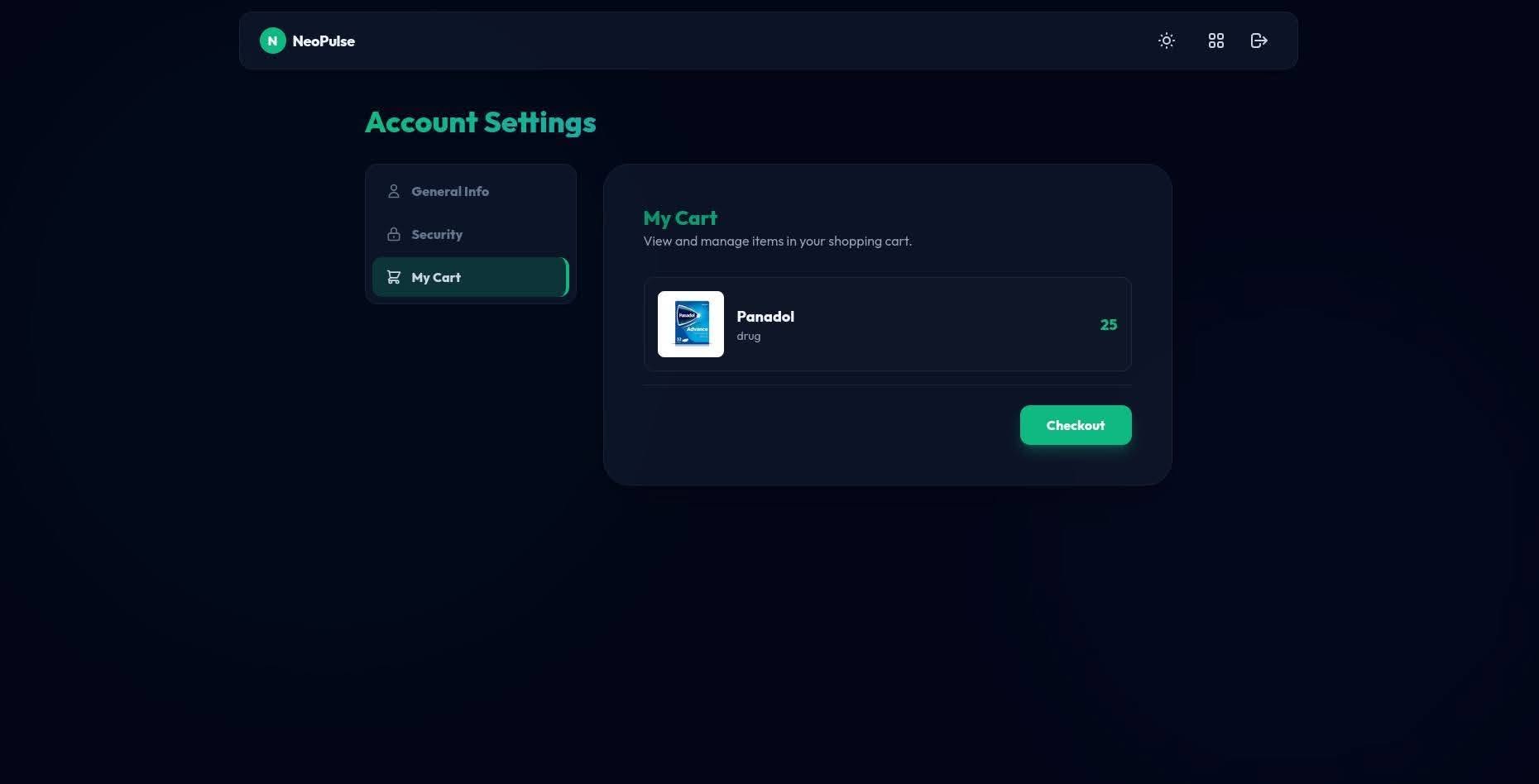
- Shopping Cart — Slide-out cart sidebar with checkout flow
- Dark / Light Theme — System-aware theme toggle with
localStoragepersistence
🔐 Authentication System
- User Registration — With strong password validation:
- Minimum 8 characters
- At least one uppercase letter, one number, and one special character
- Duplicate username/email detection
- Email format validation via regex
- User Login / Logout — Session-based auth with 30-day cookie support
- Password Security — Werkzeug
generate_password_hash/check_password_hash - CSRF Protection — Flask-WTF CSRF tokens on all forms
🛠️ Admin Dashboard
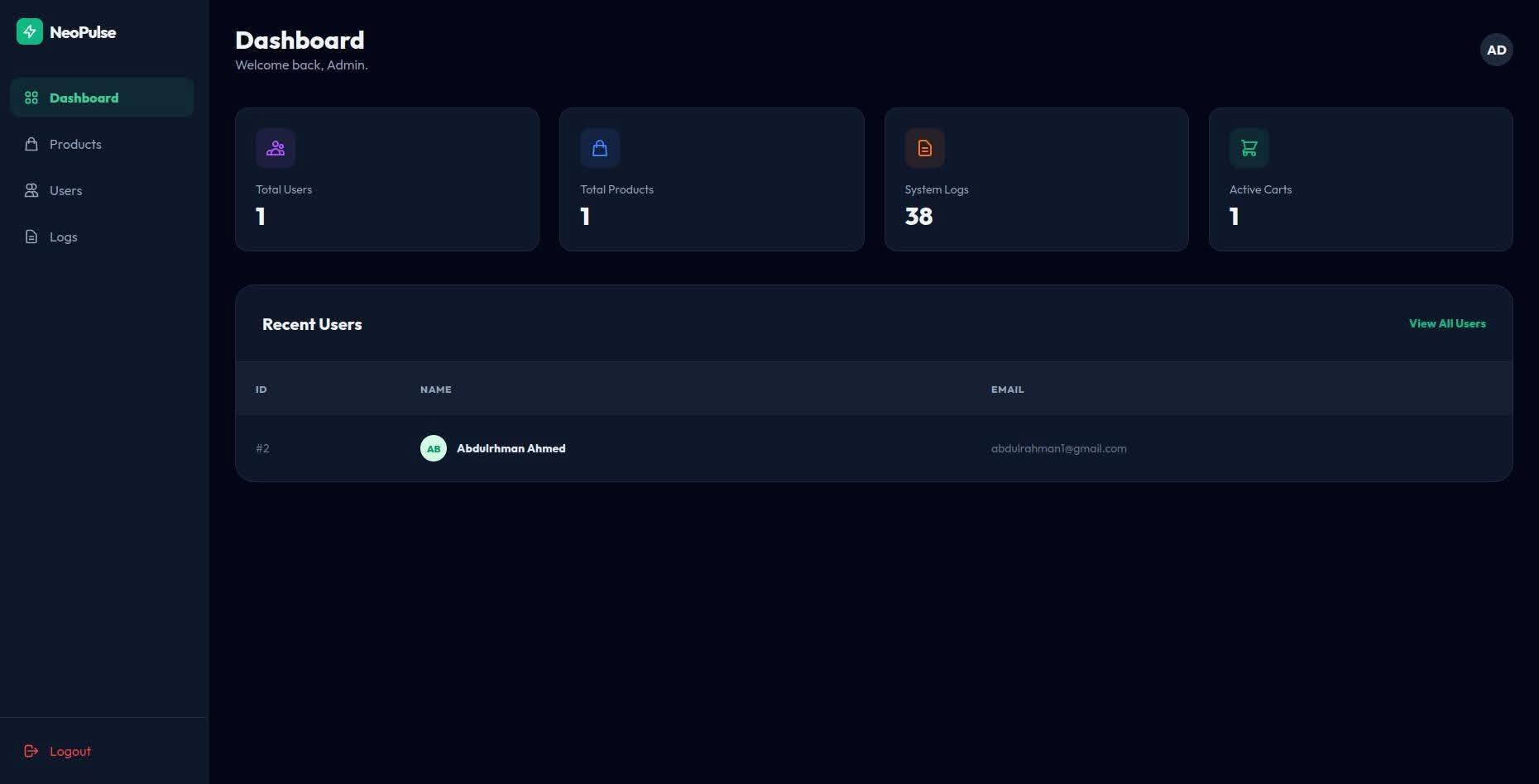
- Dashboard Overview — Revenue, orders, active users, and conversion rate metrics
- Product Management — Full CRUD: add, edit, delete products with image upload
- User Management — View all registered users
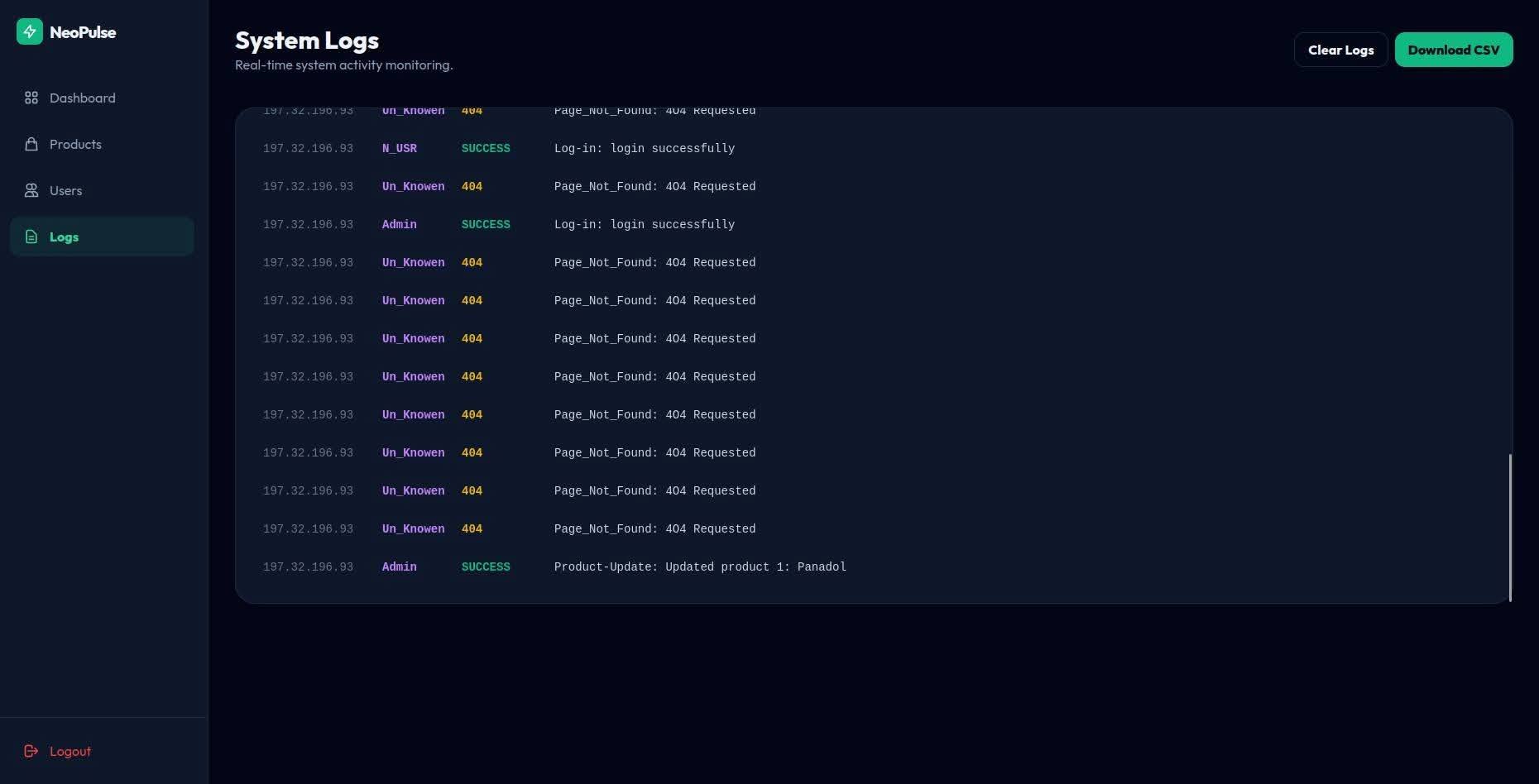
- Activity Logs — Comprehensive audit trail logging:
- User registrations, logins (success/failure)
- Admin logins (success/failure)
- Product updates
- IP address tracking via
api.ipify.org - Admin Auth — Separate admin login system with session-based access control
🎨 UI / UX
- Glassmorphism Design — Frosted glass effects with
backdrop-filter: blur() - Responsive Layout — Mobile-first design with hamburger menu and adaptive grids
- Micro-Animations — Hover transitions, scale effects, and smooth scroll behavior
- Modern Typography — Google Fonts (Outfit family)
- TailwindCSS — Utility-first styling via CDN
🗄️ Database Schema
The app uses PostgreSQL with four tables, auto-created on startup:
| Table | Description |
|---|---|
users | Stores user accounts (id, name, email, hashed password) |
products | Product catalog (id, name, price, photo_na, type_so, description) |
log | Activity audit trail (user_id, name, data, who, public_ip, warb_typ) |
cart | Shopping cart per user (id, user_id, items_id as JSONB) |
🏗️ Project Structure
OL-Tager/
├── main.py                # Flask application entry point & all routes
├── requirements.txt       # Python dependencies
├── .env                   # Environment variables (DB credentials)
├── .gitignore             # Git ignore rules
├── README.md              # This file
├── static/
│   └── img/               # Product images & assets
│       └── default.png    # Default product placeholder
└── templates/
    ├── index.html          # Landing page (public storefront)
    ├── products.html       # Product catalog (authenticated users)
    ├── login.html          # User login page
    ├── register.html       # User registration page
    ├── 404.html            # Custom 404 error page
    ├── _messages.html      # Flash message partial
    ├── admin_login.html    # Admin login page
    ├── admin_dashboard.html# Admin dashboard with metrics
    ├── admin_products.html # Product management (CRUD)
    ├── admin_users.html    # User list view
    ├── admin_logs.html     # Activity logs viewer
    └── admin_analytics.html# Analytics page
🚀 Getting Started
Prerequisites
- Python 3.10+
- PostgreSQL (running locally or remote)
- pip (Python package manager)
1. Clone the Repository
git clone https://github.com/Mhkh2642009/OL-Tager.git
cd OL-Tager
2. Create a Virtual Environment
python -m venv venv
source venv/bin/activate    # Linux / macOS
venv\Scripts\activate       # Windows
3. Install Dependencies
pip install -r requirements.txt4. Configure Environment Variables
Create a .env file in the project root with your PostgreSQL credentials:
DB_HOST=localhost
DB_PORT=5432
DB_NAME=your_database_name
DB_USER=your_username
DB_PASSWORD=your_password
5. Run the Application
python main.pyThe server will start at http://0.0.0.0:5000 (or the port specified by the PORT env variable).
🔑 Admin Access
Navigate to /admin/login to access the admin panel.
Default admin credentials are hardcoded in main.py. It is strongly recommended to change these or move them to environment variables before deploying to production.
📦 Dependencies
| Package | Version | Purpose |
|---|---|---|
| Flask | 3.1.2 | Web framework |
| Flask-Session | 0.8.0 | Server-side session management |
| Flask-WTF | 1.2.2 | CSRF protection & form validation |
| psycopg2-binary | 2.9.11 | PostgreSQL adapter |
| python-dotenv | 1.2.1 | .env file loading |
| Werkzeug | 3.1.4 | Password hashing & utilities |
| Jinja2 | 3.1.6 | Template engine |
| WTForms | 3.2.1 | Form handling |
| cachelib | 0.13.0 | Session caching backend |
🗺️ API Routes
Public Routes
| Method | Route | Description |
|---|---|---|
| GET | / | Landing page (guests) / Product catalog (logged-in) |
| GET/POST | /register | User registration |
| GET/POST | /login | User login |
| GET | /logout | User logout |
Admin Routes
| Method | Route | Description |
|---|---|---|
| GET/POST | /admin/login | Admin login |
| GET | /admin/dashboard | Admin dashboard with metrics |
| GET | /admin/products | View all products |
| POST | /admin/products/add | Add a new product |
| GET/POST | /admin/products/<id>/edit | Edit a product |
| GET/POST | /admin/products/<id>/del | Delete a product |
| GET | /admin/users | View all users |
| GET | /admin/logs | View activity logs |
| GET | /admin/analytics | Analytics page |
| GET | /admin/logout | Admin logout |
🔒 Security Features
- ✅ Password hashing with Werkzeug (PBKDF2)
- ✅ CSRF protection on all forms (Flask-WTF)
- ✅ Server-side sessions (filesystem-backed)
- ✅ HTTP-only session cookies
- ✅
SameSite=Laxcookie policy - ✅ File upload validation with
secure_filename() - ✅ 16 MB max upload size limit
- ✅ Input validation (email regex, password strength)
- ✅ Activity logging with IP tracking
🤝 Contributing
- Fork the repository
- Create a feature branch (
git checkout -b feature/amazing-feature) - Commit your changes (
git commit -m 'Add amazing feature') - Push to the branch (
git push origin feature/amazing-feature) - Open a Pull Request
📄 License
This project is open source and available under the MIT License.
Made with ❤️ by the OL-Tager Team